
🧩 Telegram widgets in the bot chat
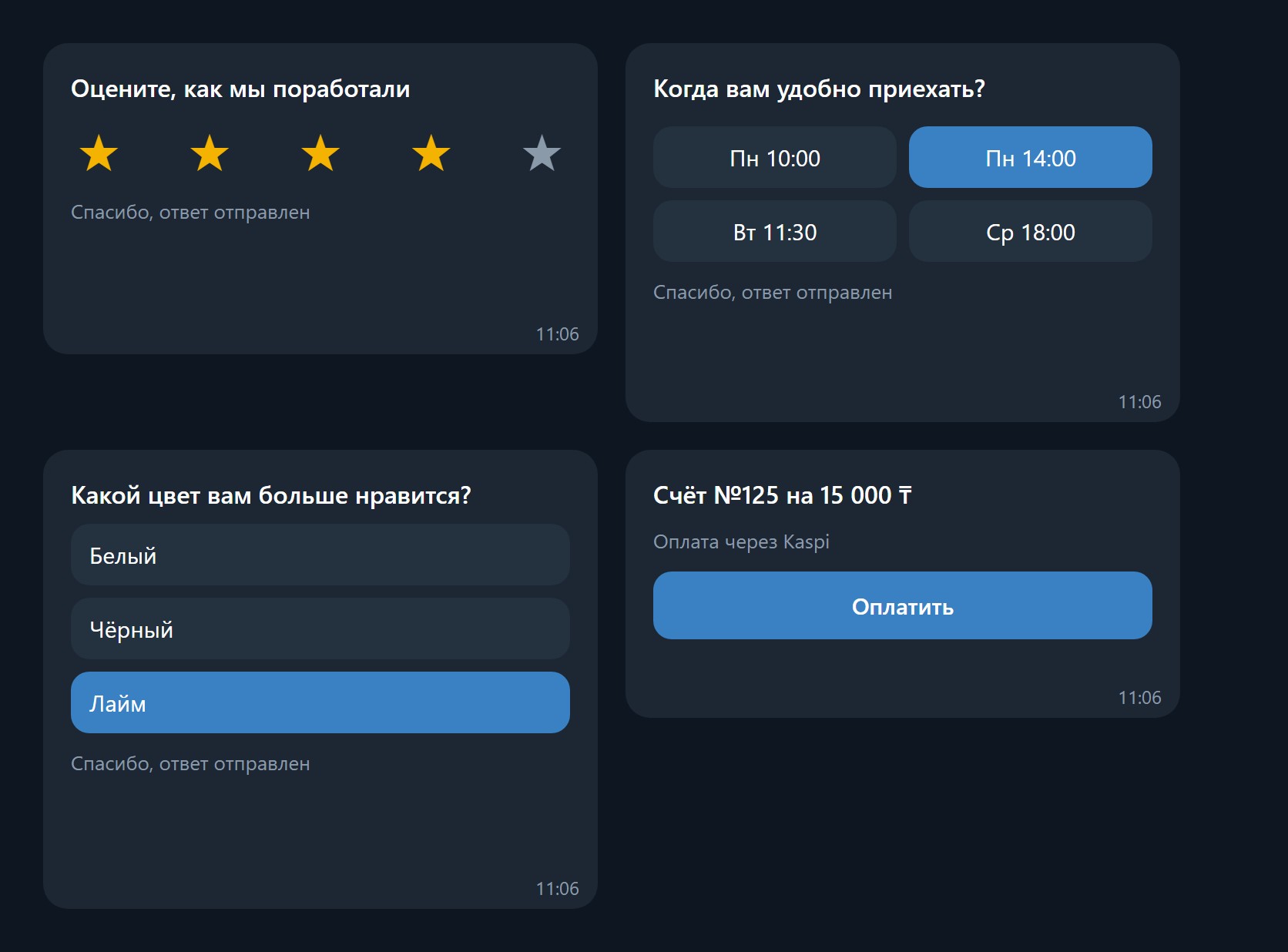
A widget is a live card inside the customer's conversation with your bot. The customer taps right inside it: gives a rating, picks a time or an answer, opens a payment link. Their choice instantly arrives in your WazzaBee chat as a regular message.
Telegram released widgets on November 9, 2026. They work in WazzaBee since November 11.
Available widgets
| Widget | What the customer sees | What arrives in your chat |
|---|---|---|
| Rating | A title and five stars | ⭐ Оценка 4 из 5: Rate the delivery |
| Time slots | A title and 2 to 8 time options as tiles | 🕒 Выбрано время: Fri 14:00 |
| Poll | A question and 2 to 8 answer options | 📊 Which color do you like?: White |
| Link button | A title, a note and a button such as “Pay” | Nothing: the customer simply opens the link |
For now the answer text in your chat is written in Russian.
How to send a widget
- Open a chat with a customer on a Telegram bot line.
- Next to the paperclip, click the shapes button “Telegram widget”.
- Choose the type: Rating, Time slots, Poll or Link button.
- Enter a title. For time slots and polls add options, one per line. For a link button paste an address starting with
https://and the button text. - Click “Send”.
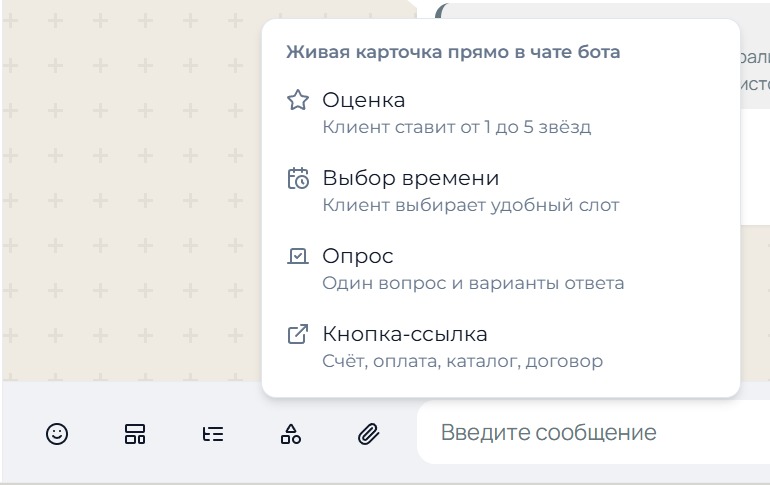
In the dashboard chat the widget is shown as a card with its title and options. The customer's answer comes as a separate incoming message and goes wherever the line's other messages go: Bitrix24, amoCRM and your webhooks. The button is also available in the WazzaBee chat embedded in Bitrix24 and amoCRM.
Labels inside the widget, such as “Thanks, your answer was sent”, use your dashboard language: Russian, Kazakh, English or Kyrgyz.
Widgets in a menu bot
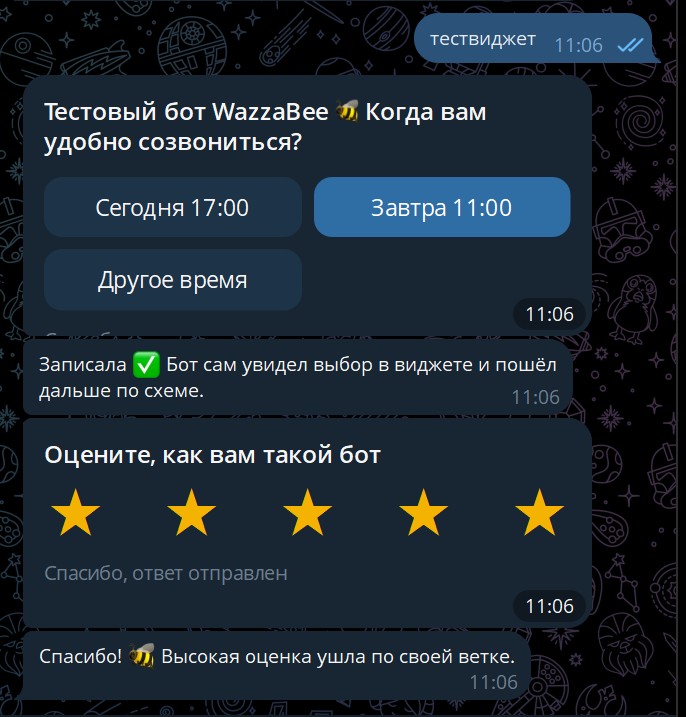
A widget can be a step of a menu bot on a Telegram bot line. The bot sends the card itself, and each answer option leads the scenario along its own arrow: the customer picks a time and the bot confirms the booking; gives 1–3 stars and the bot calls a manager. A manager joins only when really needed.
Telegram limitations
- Only a Telegram bot line can send widgets. A personal Telegram account cannot.
- A widget works only in the customer's private chat with the bot. Telegram does not show widgets in groups and channels yet.
- A widget cannot be forwarded or copied: Telegram protects it.
- The customer can change their mind and tap another option. The new choice arrives as a new message.
Widgets via API
Ready-made widgets and widgets with your own HTML are sent with POST /v1/messages/send and the widget field. See Sending messages, section “Telegram widget”.