
📸 Instagram + Bitrix24: customer messages in an Open Channel
With WazzaBee every message from Instagram Direct lands straight in your Bitrix24 Open Channel. Your agent replies from the contact center they already know, and every enquiry automatically creates a contact and a deal in the CRM.
In short: the customer messages you on Instagram → the message shows up in Bitrix24 → the agent replies → the customer gets the answer in Instagram. Nothing gets lost.
✅ What you get
- Instagram Direct messages right in the Bitrix24 contact center: no need to keep your phone at hand.
- A deal and a contact are created automatically for every new customer.
- Replies an agent sends from the Instagram app on their phone are visible too in the Open Channel conversation (see "Replies from the phone" below).
- Works with several Instagram accounts at once.
🔌 Step 1: Connect Instagram to WazzaBee
- Sign in to your WazzaBee dashboard.
- Open the "Channels" section and click "Add channel" → Instagram.
- Sign in to your Instagram business account and grant access. Done: the channel is connected.
Important: Instagram must be a business or professional account linked to a Facebook page. A regular personal profile does not give out Instagram Direct through the API.
🔗 Step 2: Link Instagram to a Bitrix24 Open Channel
- In your WazzaBee dashboard open "Connectors → Bitrix24".
- Go to the Instagram tab.
- Turn on the "Connect to contact center" toggle.
- Choose the Open Channel that Instagram messages will go to.
- Click "Save".
Once saved, the connector is marked as connected in Bitrix24:
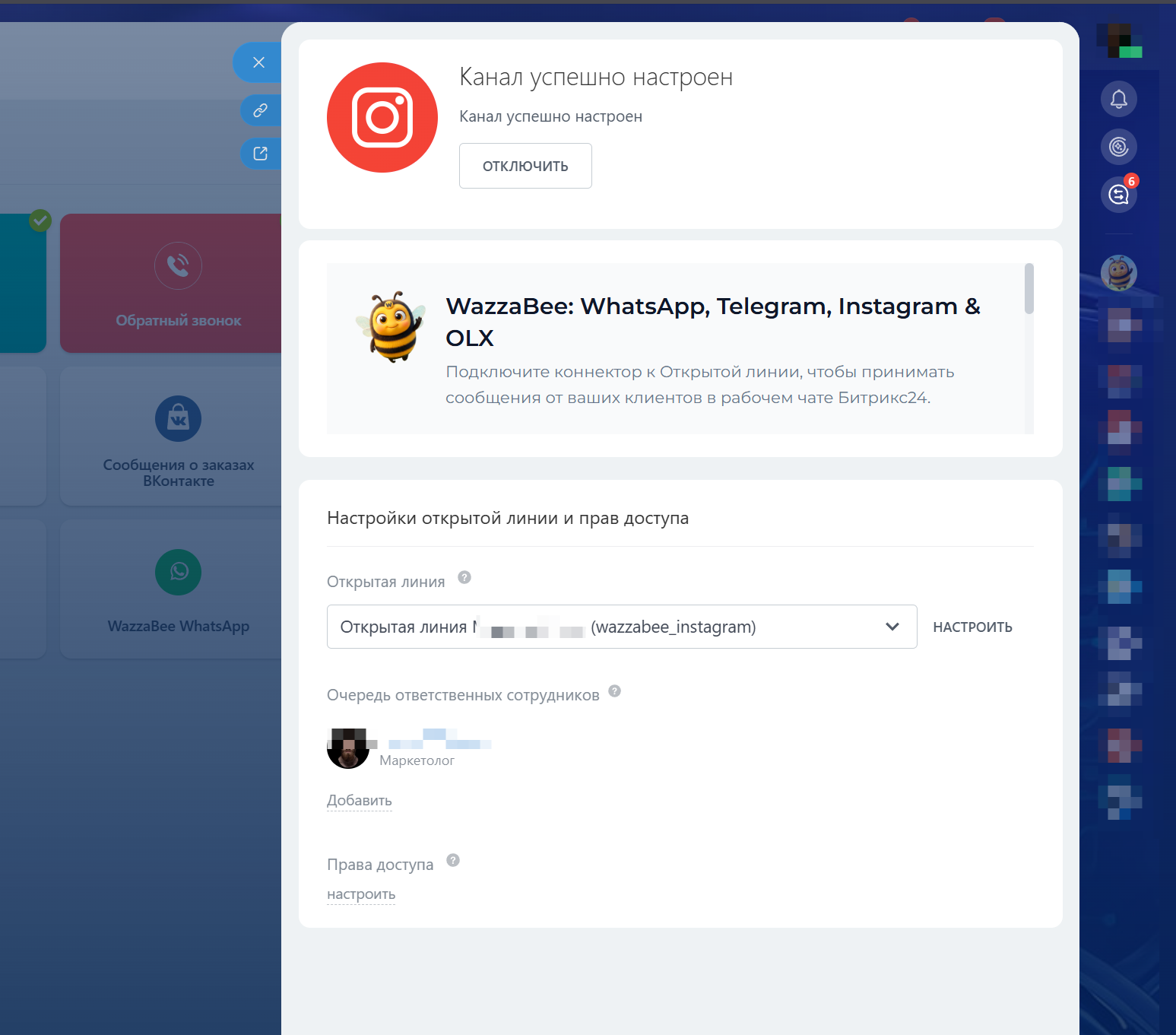
Tip: if you have several Instagram accounts, set up a separate Open Channel for each one (for example "Instagram: shop" and "Instagram: brand"). That way agents see at a glance which account the customer came from.
📱 Replies from the phone are visible in Bitrix24 too ("echo")
A common problem with free integrations: if an agent replies to a customer straight from the Instagram app on their phone, that reply does not reach the Open Channel: Bitrix24 is left with half the conversation.
WazzaBee solves this. Any reply sent from the Instagram app also appears in the Open Channel conversation, marked "📱 Agent (from phone)". The whole conversation history is in one place.
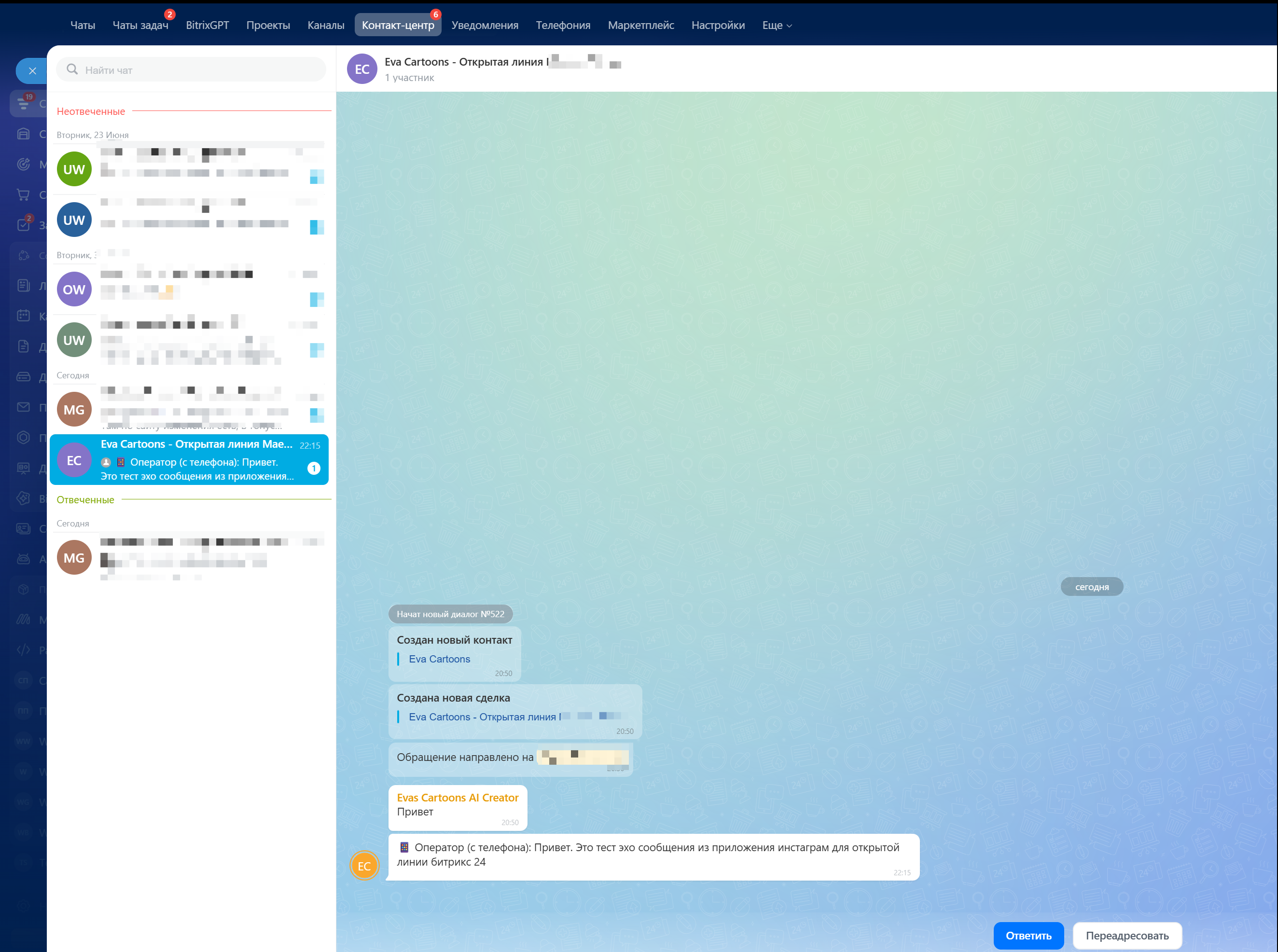
So it does not matter where the agent replied from (Bitrix24 or the phone straight in Instagram), the manager sees the full conversation and nothing disappears.
The same label is there in WazzaBee's own chats: under every outgoing message it says where it was sent from: "📱 from phone", "🖥️ from WazzaBee", "🔗 from Bitrix24" and so on. Customers never see these labels. More about chat labels →
👥 Several Instagram accounts
You can connect as many Instagram accounts as you like. Each account is a separate channel, and messages never get mixed up: the system knows exactly which account the customer wrote to. We recommend connecting each account to its own Open Channel.
❓ Frequently asked questions
Will customers get mixed up between accounts? No. Every customer and every account has its own identifier, so conversations are always kept apart.
What if a customer sends someone else's post or an ad? The agent sees a label saying it is a forwarded post, not the customer's own photo.
Do I need to set anything up inside Bitrix24? No. Everything is connected from the WazzaBee dashboard, the connector is activated automatically.
Need a hand? Message us, we will help you connect Instagram to your Bitrix24 in a few minutes.